 JLCS ESSENTIALS · SMS PROGRAM
JLCS Essentials work texts — your choice.
JLCS Essentials sends work-related texts only — login codes, schedule changes, and safety alerts — to verified employees of companies subscribed to the platform. Use this form to set your preference: check the consent box to opt in, or submit without checking it to decline — the form works either way, and a phone number is only needed if you opt in. Enrollment is confirmed against your company's employee roster before any message is sent; texting is always optional and never a condition of employment, pay, or using the platform.
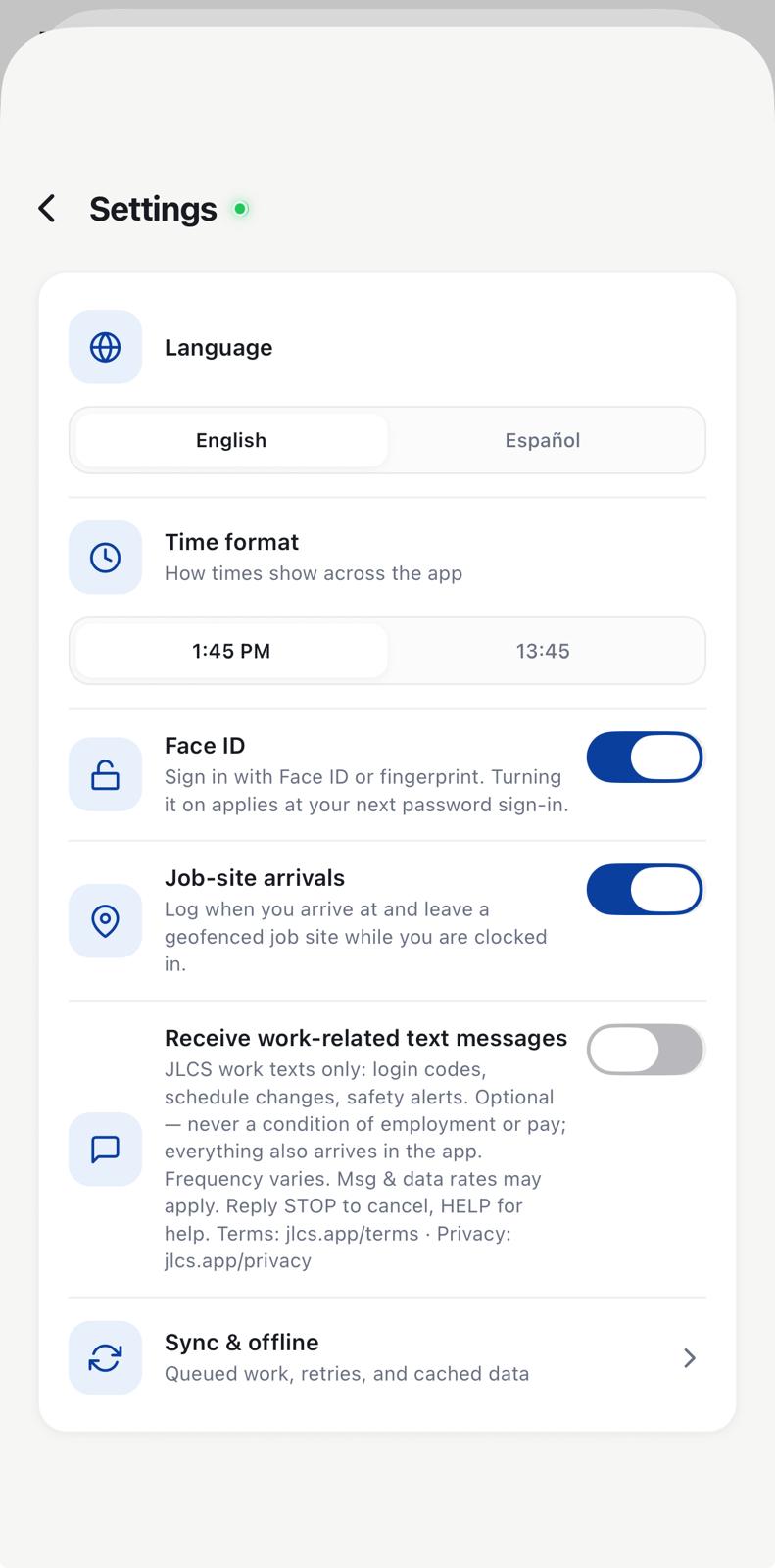
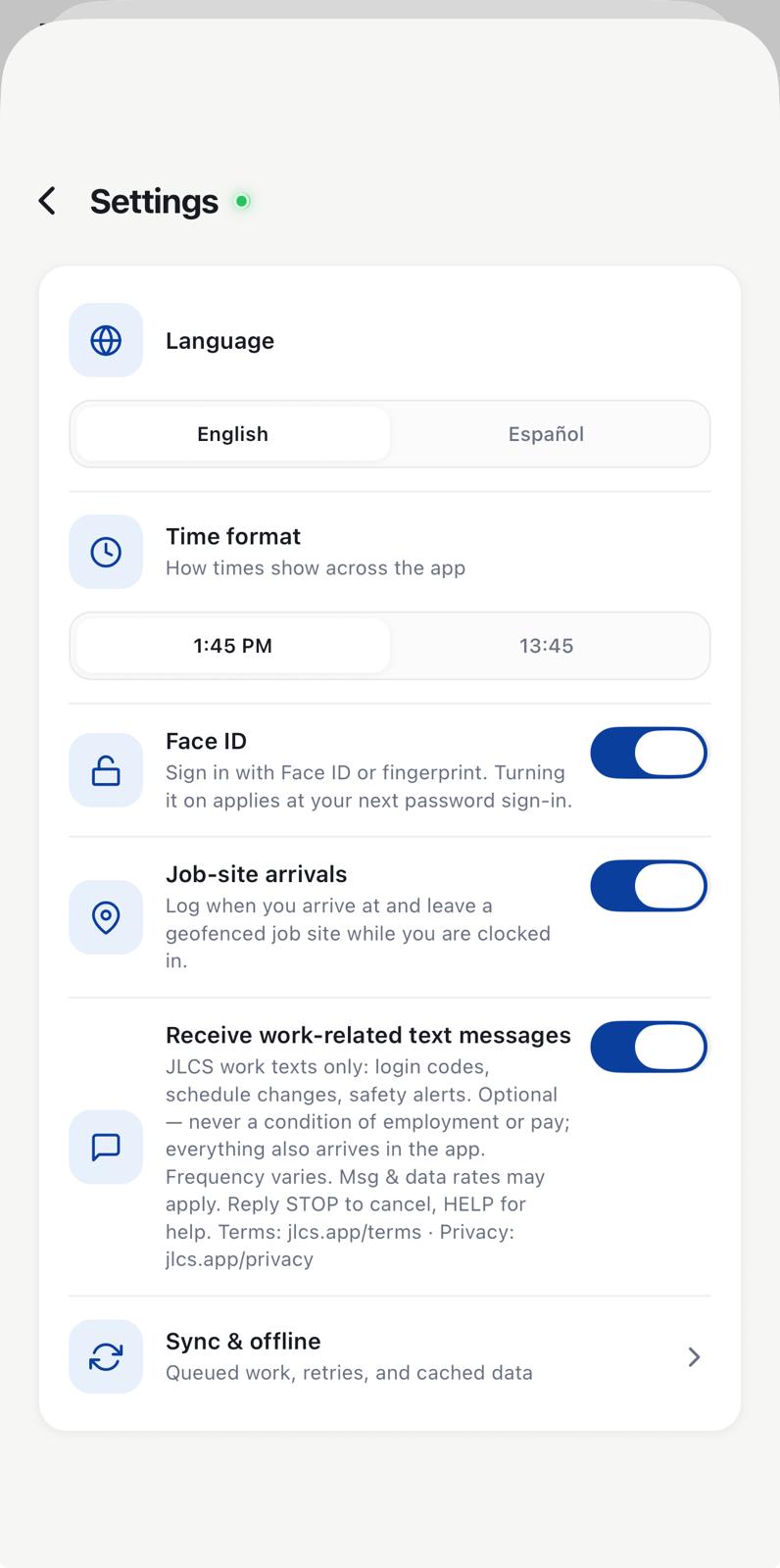
Employees can also opt in inside the JLCS app
- Sign in to the JLCS employee app. Access requires an individual account issued by the employee's company. The phone number on file comes from the employee's own profile.
- Open Settings → Work texts. The consent toggle is OFF by default. No message is ever sent before opt-in (except a login code the employee individually requests by choosing "Sign in with a code").
- Read the disclosure and actively enable the toggle. The same consent language shown above is displayed directly under the toggle at the point of opt-in.
The in-app opt-in screen
Program facts
- Express, unchecked-by-default consent — given on this page or in the app — is required before any text is sent. Opting in is never a condition of employment, pay, platform access, or of submitting this form.
- Employees only. Every opt-in is confirmed against the employer's roster — never consumers, purchased lists, or marketing audiences.
- Message types: one-time login verification codes (requested individually at sign-in), schedule changes, and safety alerts sent by the employee's own supervisors.
- Message frequency varies. Message and data rates may apply.
- Revocable at any time — reply STOP to any message, turn the toggle off in the app, or ask the company administrator. Reply HELP for help.
- Phone numbers and opt-in data are never shared with third parties or affiliates for marketing or promotional purposes.
Sample messages
JLCS Essentials: your sign-in code is 482913. It expires in 10 minutes. Reply STOP to opt out, HELP for help.
JLCS Essentials safety alert: work paused at Northgate due to lightning within 8 miles. Shelter per the site plan. Reply STOP to opt out.
© JLCS Essentials · JLCS is the workforce app operated by JLCS Essentials; they are the same program and sender.